
Lucide Icons
Replace every icon in your Filament panel with Lucide, including the rich editor toolbar and multi-factor auth. All 2,287 Lucide icons as an enum, one line of setup.
What it does
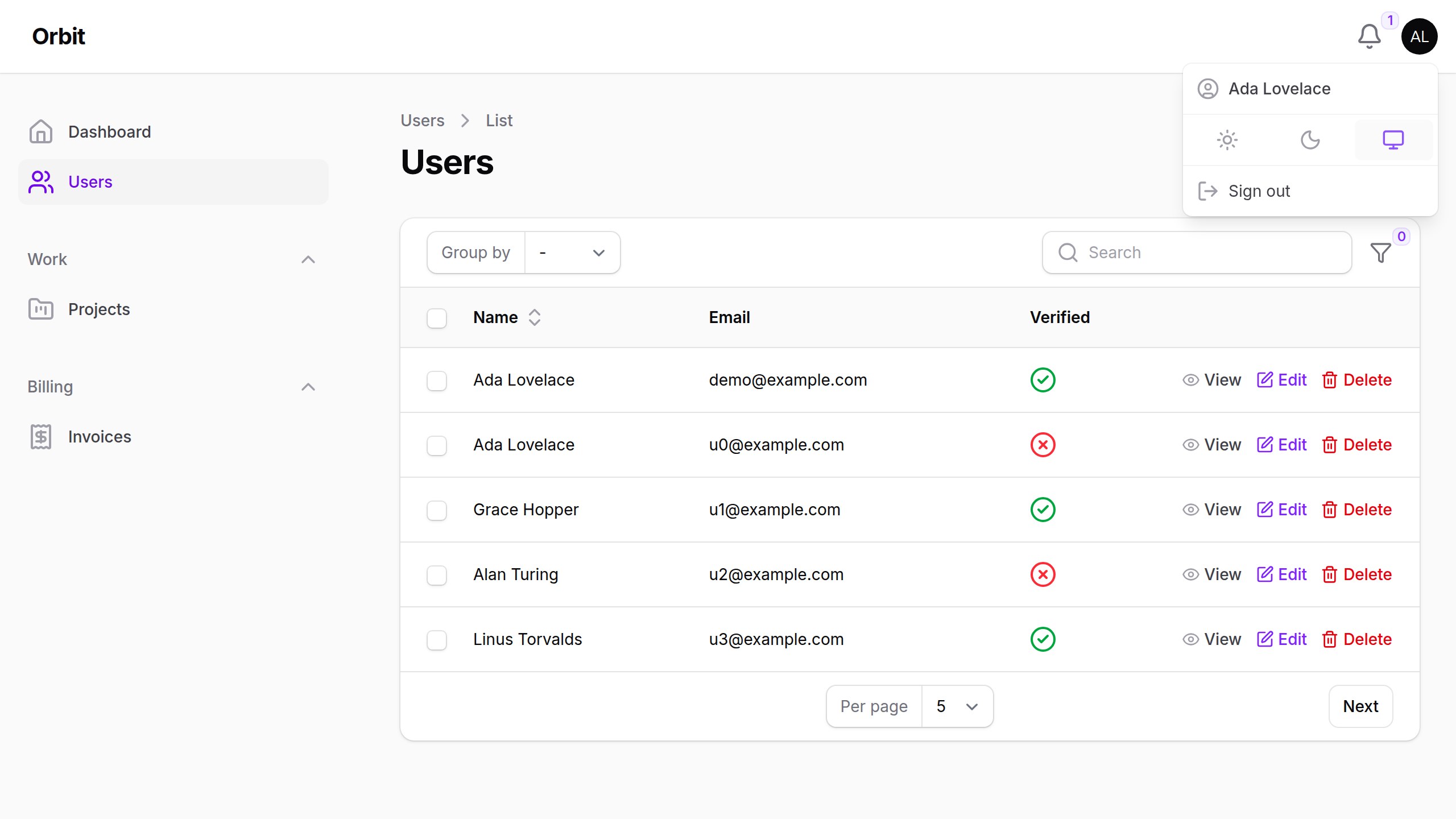
Swaps every icon Filament draws for its Lucide counterpart, in one line. That covers the sidebar, tables, forms, actions, notifications and the user menu, and also the parts icon packs usually miss: the rich editor toolbar, multi-factor auth, callouts and the query builder. All 223 icon aliases in Filament 5 are mapped. All 2,287 Lucide icons are available as a PHP enum, so you can use them in your own resources too.
Coming from codewithdennis/filament-lucide-icons?
That package gives you a Lucide enum to use by hand. This one also swaps every icon in Filament's own UI. The two can't be installed side by side (both register Blade's lucide prefix), but the enums use the same case names (all but three, listed below), so switching takes two steps:
composer remove --no-update codewithdennis/filament-lucide-icons && composer require filafly/filament-lucide-icons
Then replace use CodeWithDennis\FilamentLucideIcons\Enums\LucideIcon; with use Filafly\Icons\Lucide\Enums\Lucide as LucideIcon; and register LucideIcons::make() as shown below. Your existing LucideIcon::Bell calls keep working.
Three cases were renamed upstream in Lucide and only exist under their new names here:
BetweenHorizonalEnd→BetweenHorizontalEndBetweenHorizonalStart→BetweenHorizontalStartLocationEdit→MapPinPen
Requirements
- PHP 8.2+
- Filament v4 or v5
Installation
Install the package with Composer:
composer require filafly/filament-lucide-icons
Then register the plugin in your Filament panel provider:
use Filafly\Icons\Lucide\LucideIcons;

public function panel(Panel $panel): Panel
{
    return $panel
        ->plugin(LucideIcons::make());
}
That's it: reload the panel and every Heroicon is replaced.
Using the icons in your own resources
use Filafly\Icons\Lucide\Enums\Lucide;

protected static string | BackedEnum | null $navigationIcon = Lucide::Users;
Overriding individual icons
Lucide has a single outline style, so you pick different icons rather than styles.
Change the icon for a Filament alias
use Filafly\Icons\Lucide\LucideIcons;
use Filafly\Icons\Lucide\Enums\Lucide;
use Filament\Tables\View\TablesIconAlias;
use Filament\View\PanelsIconAlias;

// One alias
LucideIcons::make()->overrideAlias(TablesIconAlias::ACTIONS_FILTER, Lucide::ListFilter);

// Several aliases at once
LucideIcons::make()->overrideAliases([
    TablesIconAlias::ACTIONS_FILTER => Lucide::ListFilter,
    PanelsIconAlias::SIDEBAR_EXPAND_BUTTON => Lucide::PanelLeftOpen,
]);
Replace one icon with another everywhere
use Filafly\Icons\Lucide\LucideIcons;
use Filafly\Icons\Lucide\Enums\Lucide;

// One icon
LucideIcons::make()->overrideIcon(Lucide::Trash2, Lucide::Trash);

// Several icons at once (PHP arrays can't use enums as keys, so use ->value)
LucideIcons::make()->overrideIcons([
    Lucide::Trash2->value => Lucide::Trash,
    Lucide::SquarePen->value => Lucide::Pencil,
]);
Source and credits
- Source code and issues: filafly/filament-lucide-icons on GitHub
- Icons by Lucide (ISC license), via Blade Lucide Icons
- Built on Filament Icons
Free and open source under the MIT license.
Have questions about Lucide Icons? Get help in our Discord community.
FilaFly also makes premium themes for Filament panels: Lucent, Prizm, Cypher and Citrus. Browse the themes.